Frontier Internet Not Working: Outage Check and Fixes Step by Step
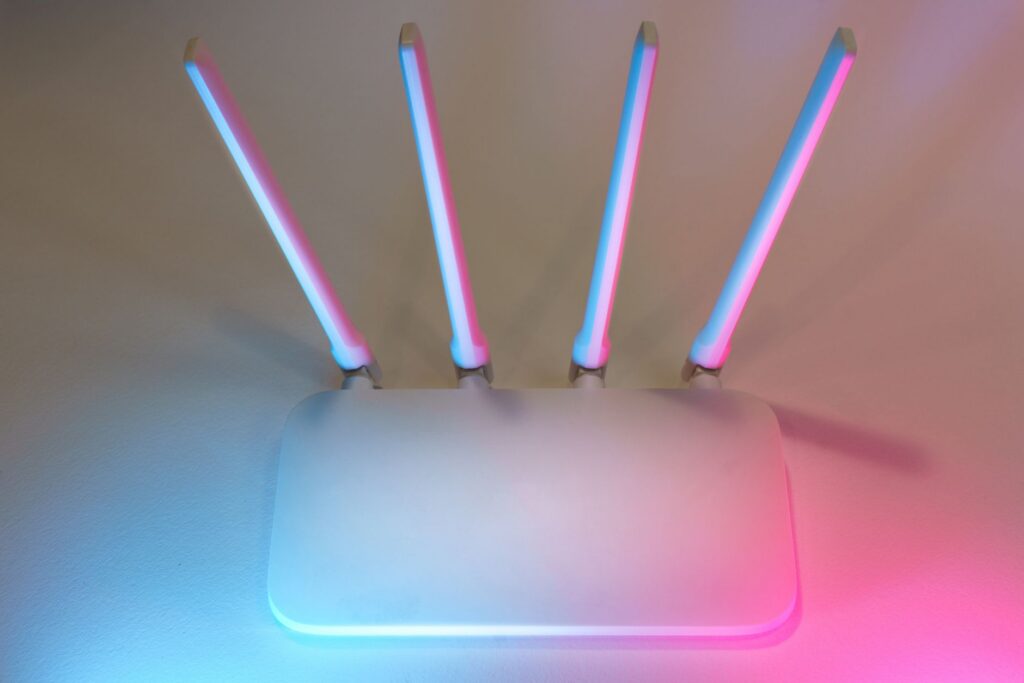
When Frontier Internet stops working, first check whether there is a service outage in your area, then restart your router, which Frontier says fixes most problems such as slow speeds, dropped connections and Wi-Fi trouble. Fiber customers whose connection is still down after that should check that the Optical Network Terminal (ONT) has power and then restart it. Frontier can also text you outage updates once a verified mobile number is on your account.
Is Frontier down, or is the problem in my home?
Check Frontier’s outage information before you start unplugging equipment. The Frontier Internet Support page sends customers who still have trouble after a router restart to its service outage check and its troubleshooting tips. If an outage is listed for your area, restarting your gear will not bring the connection back, and the fix is on Frontier’s side.
If no outage shows up, the cause is more likely at home: the router, the Wi-Fi signal or, for fiber customers, the ONT. Cable and satellite providers split the problem the same way, as our guides to checking for an Xfinity outage and Spectrum service status in your area show.
How do I get Frontier outage updates by text?
Frontier texts outage updates to customers who have added and verified a mobile number in their account. Its support wizard for wireless connection problems lists the steps:
- Sign in to My Account.
- Select My Profile, then My Contact Information & Notification Preferences.
- Add your mobile number.
- Verify the number so the texts can reach you.
If Frontier already has a verified mobile number for you, there is nothing more to set up. Doing this while your connection works means you will get news of the next outage on your phone even when the home internet is out.
How do I restart my Frontier router?
A router restart is the first fix Frontier recommends for problems like slow speeds, disconnects and wireless issues. In general terms, you cut the router’s power, give it a short pause, plug it back in and wait until it has fully started up before you test the connection again. Frontier’s help center has a page with the exact steps for its routers, and it is worth following those for your model.
Try loading a website on more than one device after the restart. If nothing gets online and there is no outage in your area, fiber customers should move on to the ONT.
What is an ONT and where do I find it?
The ONT is the box where Frontier’s fiber line enters your home, and it powers your fiber network. Frontier says it is usually in the garage or basement, or mounted outside the house a few feet from the home’s electrical panel. Only fiber customers have one. If you are not sure whether you do, Frontier’s help center has a video that shows how to identify the device.
How do I check that the ONT has power?
Frontier’s ONT troubleshooting page says to check the outage map and restart the router first, and only then look at the ONT. The page has a video and written steps that show how to tell whether the ONT is receiving power. The lights and labels differ between ONT models, so compare what you see with Frontier’s page for your equipment.
If the rest of your home has electricity but the ONT does not, Frontier says you may need to reset it and walks through how on the same page. When the whole house loses power, the ONT and router go down with it. Some households keep a battery backup for the router for that situation.
How do I restart (power cycle) the ONT?
If the ONT has power but your fiber internet is still down, restart the ONT. Frontier also calls this power cycling and says it often solves the problem, especially when all of your Frontier services are out at once. The ONT page has a video of the process.
A sensible order looks like this:
- Check for an outage in your area.
- Restart your router and test again.
- Check that the ONT is receiving power, and reset it if it is not.
- If it has power, power cycle the ONT.
- If the connection is still down after all of that, contact Frontier support.
Frontier also sells backup internet that switches on automatically when your network connection drops. Its ONT page has details for customers who want a fallback.
What if the internet works but Wi-Fi is slow or will not connect?
Wi-Fi problems are often a device or password issue. To join your network you need its wireless network name and password, and Frontier has videos that show where to find them, including one for its TP-Link router. If you have forgotten the password, the Internet Support page explains how to recover it or set a new one, and it has steps for connecting Apple, Android, Windows and smart home devices.
Frontier notes that speed tests, especially tests of speed to a single device, can be affected by the limits of wired and Wi-Fi devices and by how many devices are online. Results may then differ from the plan speed you expected, and Frontier says this happens with every internet provider.
Quick answers
Does every Frontier customer have an ONT?
No. The ONT is part of Frontier’s fiber service. If you are not sure what kind of connection you have, Frontier’s help center has a video to help you identify an ONT.
Why is my Frontier internet slow when it is not down?
Frontier says a router restart usually fixes slow speeds. Speed test results also depend on your devices and how many are connected, so a single slow test does not always mean a problem with the line.
Will restarting my equipment fix an area outage?
No. If Frontier lists an outage in your area, the repair happens on Frontier’s network. Adding a verified mobile number to your account gets you outage updates by text.
Where is the ONT if it is not inside?
Frontier says it may be mounted outside your home, usually within a few feet of the power box.
Checked against official sources in November 2026. Apps, menus and error codes change: check the official help page for the current steps.