T-Mobile Outage: How to Check Network Status and Fix No Service
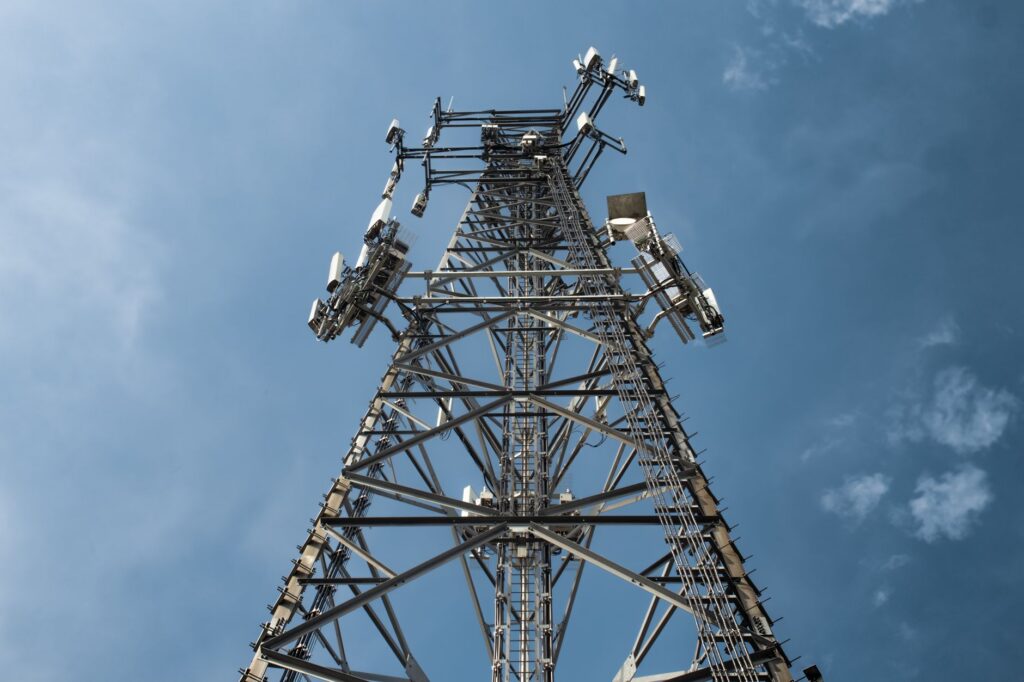
To check whether T-Mobile is down where you are, open the T-Life app on the affected phone and run its troubleshooter. Its network checks look for recent tower outages and whether your phone is connected to an affected tower. T-Mobile also sends outage notices about the tower you use most. Compare with our live T-Mobile status page and with someone nearby on T-Mobile.
How do I check for a T-Mobile outage in the T-Life app?
T-Mobile’s Troubleshoot with T-Life support page describes these steps.
- Use the phone that has the problem. T-Mobile says the troubleshooter has to run on the device that is having the issue.
- Open the Manage tab in T-Life and choose the device you are using.
- Select Troubleshoot this device and pick the problem you are seeing.
- Let the checks run. Device checks cover settings such as 5G, Wi-Fi Calling, data roaming, cellular data, Battery Saver and Airplane mode. Network checks cover account provisioning, recent tower outages, degradation and whether you are connected to affected towers.
- Follow the recommendations. T-Mobile gives turning on Wi-Fi Calling as an example.
- Check another place if needed. If the trouble happened somewhere other than where you are now, select Network Check > Check another location.
App menus change between versions. If the labels look different, start from the Manage tab and look for the troubleshooting option for your device.
What does a T-Mobile outage notice mean?
T-Mobile’s Network Outages page says a notice means T-Mobile is doing routine work on the tower your phone uses most, or dealing with an unexpected problem with that tower. You do not need to take action. T-Mobile says it sends a notice when the outage is resolved, and you may need to power cycle your phone after that.
A notice is the clearest sign that the problem is on T-Mobile’s side. In that case, settings changes and repeated restarts will not bring service back sooner.
Is it a T-Mobile outage or my phone?
An outage affects many T-Mobile phones in one area at the same time. A phone problem stays with one device, even when you move. T-Mobile’s coverage map helps too, with one limit: T-Mobile says the map approximates expected outdoor coverage, does not guarantee service, and that outages, network changes and weather can affect service in covered areas.
| What you see | Likely cause | First step |
|---|---|---|
| T-Life finds a recent tower outage | T-Mobile network problem | Use Wi-Fi Calling, wait for the resolution notice |
| You got an outage notice by text | Work or a fault on your usual tower | No action needed, restart after it is fixed |
| Others on T-Mobile nearby have service, you do not | Phone, SIM or line | Run the T-Life device checks, restart |
| Service fails only indoors | Weak coverage at that spot | Move outside or near a window, turn on Wi-Fi Calling |
| No service started after a new SIM or eSIM | Activation or provisioning | Run the troubleshooter, then contact T-Mobile |
What should I try if my T-Mobile phone has no service?
Work through these in order. Stop as soon as service returns.
- Turn Airplane Mode on for at least 15 seconds, then off. Apple recommends this step for an iPhone that shows SOS or No Service.
- Restart the phone.
- Run the T-Life troubleshooter on that phone and follow what it finds.
- Check that cellular data is on and that you are not in a spot the coverage map shows as weak.
- Install any system update and, on an iPhone, any carrier settings update.
- If you use a physical SIM, power off, take the SIM out, check it for damage, put it back and power on.
- Contact T-Mobile through T-Life or t-mobile.com if nothing changes.
T-Mobile’s signal troubleshooting page goes as far as a master reset when the coverage map shows good coverage. A master reset erases the phone, so back up first and treat it as a last step after you have talked to T-Mobile. Our guides to iPhone SOS only and Android No service cover the device side in more detail.
How can I call and text during a T-Mobile outage?
Wi-Fi Calling is the main workaround. It sends calls and texts over a Wi-Fi connection, so it works if your home internet is up while the cell network is not. The T-Life troubleshooter itself may recommend turning it on.
| Phone | Where to turn on Wi-Fi Calling |
|---|---|
| iPhone | Settings > Cellular > Wi-Fi Calling, then turn on Wi-Fi Calling on This iPhone (Apple Support) |
| Google Pixel | Settings > Network & internet > SIMs > Wi-Fi calling (Google Pixel Help) |
| Samsung and other Android phones | Names vary by maker, usually under phone or connection settings |
Apple notes that when cellular service is available, an iPhone uses it for emergency calls. If Wi-Fi Calling is on and cellular is not available, emergency calls might use Wi-Fi Calling. You may be asked to confirm an address for emergency services the first time you turn it on.
T-Mobile Home Internet runs on the same wireless network as T-Mobile phones, so a tower problem can affect it too. If your home internet and phone fail together, the outage notice or the T-Life check is the place to start. For the home side, see internet down at home: five checks.
Does T-Mobile give credits for outages?
As of November 2026, we did not find a standing outage-credit policy on T-Mobile’s support pages, unlike Verizon’s 24-hour rule or the AT&T Guarantee. If an outage cost you service for a long stretch, contact T-Mobile through the T-Life app or the support options on t-mobile.com and ask whether your account qualifies for a credit. Write down the date, the time and where you were before you ask.
Be wary of texts or calls that offer an outage refund and ask for your account PIN, password or a one-time code. Open T-Life yourself to check your bill and messages.
Bottom line
Run the T-Life troubleshooter on the phone that has the problem and look for a T-Mobile outage notice. If either points to a tower problem, switch to Wi-Fi Calling and wait for the resolution notice, then restart. If neither does, the cause is probably your phone, SIM or line, so work through the steps above. To compare carriers, see how to check Verizon, AT&T and T-Mobile outages.
FAQ
Does T-Mobile have an outage map?
T-Mobile’s coverage map shows expected coverage, not live outages. For your own area, the T-Life troubleshooter checks recent tower outages and whether your phone is connected to an affected tower.
Are Metro by T-Mobile and Mint Mobile affected when T-Mobile is down?
Both run on T-Mobile’s network, so a T-Mobile network outage can affect them. Check our live Metro by T-Mobile status and live Mint Mobile status pages.
Do I need to do anything after a T-Mobile outage notice?
T-Mobile says no action is needed while it works on the tower. After the resolution notice, power cycle your phone if service does not come back.
Is Downdetector an official T-Mobile source?
No. It collects user reports, which can rise for reasons unrelated to T-Mobile. Use it as a clue next to T-Life and T-Mobile’s notices.