Square Not Working: Declined Payments and Offline Mode Step by Step
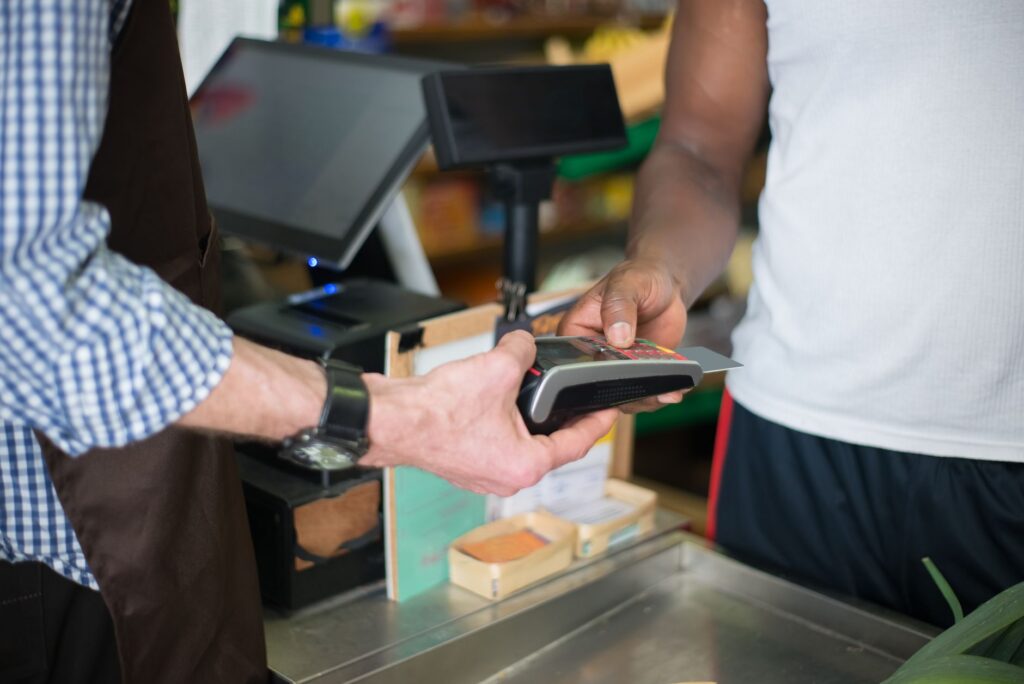
If every card on your Square device is declining while the device is online, check issquareup.com for a wider Square problem, then force the device offline and take offline payments until service is back. If only one card fails, the cause is usually with that card: Square does not get an exact reason for a decline, so the customer has to ask their bank. Offline payments must be uploaded within 72 hours, and Square recommends uploading within 24 hours.
Why is Square declining cards?
A decline in the Square app comes with one of four messages, according to Square’s guide to failed payments:
- “Declined. Card has expired. Please use a different card.”
- “Declined. Please use a different card.”
- “Declined. Please have cardholder call issuer before retrying transaction.”
- “Declined. Please verify the card number, expiration date, CVV, and ZIP code.”
With manually entered cards, every detail has to match the card exactly. A customer who moved recently may give an old billing ZIP code. Third-party gift cards keyed in by hand need a billing address registered with the issuer first, so the customer may have to call the card company. Fields turn red in the app when the entry is wrong.
On a compatible Apple device, the wrong calendar setting can also cause declines. To fix it:
- Open Settings, then General, Language & Region, Calendar.
- Select the Gregorian calendar.
- Go back to the Square app, sign out and sign back in.
When the customer says the card is valid and it still declines, send them to their card-issuing bank. Square cannot see the reason.
Is Square down, or is it my connection?
If your device is online and all card payments are declining, Square points you to issquareup.com to look for a wider issue. If the problem is your own connection, Square payments stop because the app needs internet at all times, over Wi-Fi, Ethernet or a cellular data service such as 4G, 5G or EDGE. Square says Wi-Fi processes payments faster than cellular data.
The Square app does not multitask, so an incoming call or text on the same phone can interrupt an in-person payment. If your Wi-Fi drops, the device may fall back to cellular data unless you have turned that off in the app settings.
How do I switch to offline payments during a Square outage?
A device that stays online during a Square disruption keeps declining cards, and those attempts are not retried later. You have to force it offline:
- In Square Point of Sale, tap More, then Settings, Hardware, Network.
- Turn off Wi-Fi, or unplug the Ethernet cable if the device uses one.
- Take payments offline while the issue lasts.
- When Square has stabilized or fixed the problem, turn Wi-Fi back on or reconnect the cable so the stored payments upload.
Offline card payments are kept in the Square app and process on their own once the device is back online. Cash and other tenders taken offline may need to be completed by hand after the connection returns.
How do Square offline payments work?
Per Square’s offline payments page, your usual processing fees apply, the payments are stored securely in the point of sale app, and you can turn the feature on from Square Dashboard or a supported Square POS app. You can choose to accept cash and offline card payments, or cash only, and decide whether offline mode covers an internet outage, a Square service disruption, or both. Square said it would email sellers from March 2026 asking them to review the settings, and that offline payments would switch on automatically on all devices in April 2026 for sellers who took no action.
Several payment types do not work offline:
- EBT/SNAP
- Afterpay and Cash App Pay
- Square Gift Cards
- Tap to Pay on iPhone and Android
- Manually entered card numbers
The Square Invoices app, Square Kiosk Lite and Square Point of Sale in services mode cannot take offline payments, and neither can the Square Reader for contactless and chip (1st generation, v1 and v2). Loyalty points from offline sales have to be linked by hand after upload, and close of day reporting is not supported. Online orders from your Square website or platforms such as UberEats may not show up in the POS during a disruption; they appear once it is resolved.
You carry the risk on offline sales. Square says you are responsible for expired, declined or disputed offline payments, and it cannot contact customers for you. It advises getting a signature where possible, asking for chip insert or tap instead of a swipe or manual entry, and not accepting unsigned cards.
How long do I have to upload offline payments?
The limit depends on your hardware:
- Square Register, Square Terminal and Square Handheld: upload within 72 hours of the start of the offline session.
- Square Reader for contactless and chip (2nd generation), the 1st generation v3 reader and Square Stand (1st or 2nd generation): you can take offline payments for 24 hours, then you must reconnect while the hardware is attached to your iPhone, iPad or Android device. Uploads are still due within 72 hours of the session start.
Square recommends uploading within 24 hours in every case to lower the risk of chargebacks and declines. Payments not uploaded within 72 hours expire. You can restart or power off the device, but it has to be switched back on to upload pending payments.
What if my Square Reader for magstripe won’t connect or read cards?
Square’s magstripe reader guide says to check that your device is supported and that both the Square POS app and your device software are up to date. Some phone cases stop the reader from plugging in fully, and adapters other than Apple’s USB-C to headset jack adapter may break the connection. Then try these steps:
- Unplug the reader and plug it back in.
- In your device’s Settings, turn Bluetooth off and back on.
- On an Apple device, choose Headphones when asked to identify the reader. If you picked Other device, unplug the reader, go to Settings, Sounds, Headphone Safety, USB Audio Accessories, tap Forget All USB Audio Accessories, then plug in again and choose Headphones.
- Delete and reinstall the Square POS app, then log in with your existing email and password.
If you see “Insert Chip Card” on a swipe, go to More, Settings, Checkout, turn on Swipe Chip Cards, review the liability warning and tap Allow Chip Cards to Be Swiped. For swipes that do not register, move the card slowly and steadily with the black stripe facing away from the Square logo, keep it flat against the base, and try both directions. If another card works, the first card’s stripe may be worn or damaged.
Quick answers
Why does my customer see a charge that Square says failed?
A canceled, interrupted or declined payment can leave a pending charge. Square sends a void notice to the bank right away, and the hold should drop off after a few business days. Releasing it is up to the bank.
How do I confirm a Square payment went through?
A successful payment triggers an email such as “Square Payment #123456.” You can also check Transactions in the app or Square Dashboard; failed or declined offline payments show up in Orders and Discounts.
What happens with a Square Gift Card that doesn’t cover the full sale?
Tap Done on the signature screen and collect the rest of the amount. If the full sale is not processed, it is voided.
Do other payment apps have similar problems?
Declines and login trouble show up elsewhere too; see our guides to PayPal login and checkout problems and failed Venmo payments and pending transfers.
Checked against official sources in November 2026. Apps, menus and error codes change: check the official help page for the current steps.